
This post contains affiliate links. Read my full disclosure policy here. This is not a sponsored post.
“How do you read those old documents?!”
This is a common question I hear from friends and new genealogists—especially those of us who need a little extra help with our vision these days. Bifocals, trifocals, progressive lenses… I might have a little experience with that.
Wills, estate records, tax rolls, and court minutes are records genealogists consult regularly. I usually photograph documents digitally when I research. Finding an ancestor’s record in clear, well-preserved script feels like a win. Unfortunately, many originals and microfilmed copies don’t age well. Faded ink, cramped handwriting and darkened pages can make even the most enthusiastic researcher strain to read the text.
Practice helps—practice, practice, practice—but using photo-editing software or an online editor can make a difficult document much easier to decipher.
How Does PicMonkey Help the Genealogy Researcher?
PicMonkey is an online photo editor I use often. Over the years I’ve used it to edit photos, assemble collages and create images for blog posts. While PicMonkey’s features are useful, the same basic editing principles apply to any photo editor: crop, adjust exposure, sharpen, enlarge, and highlight to improve legibility.
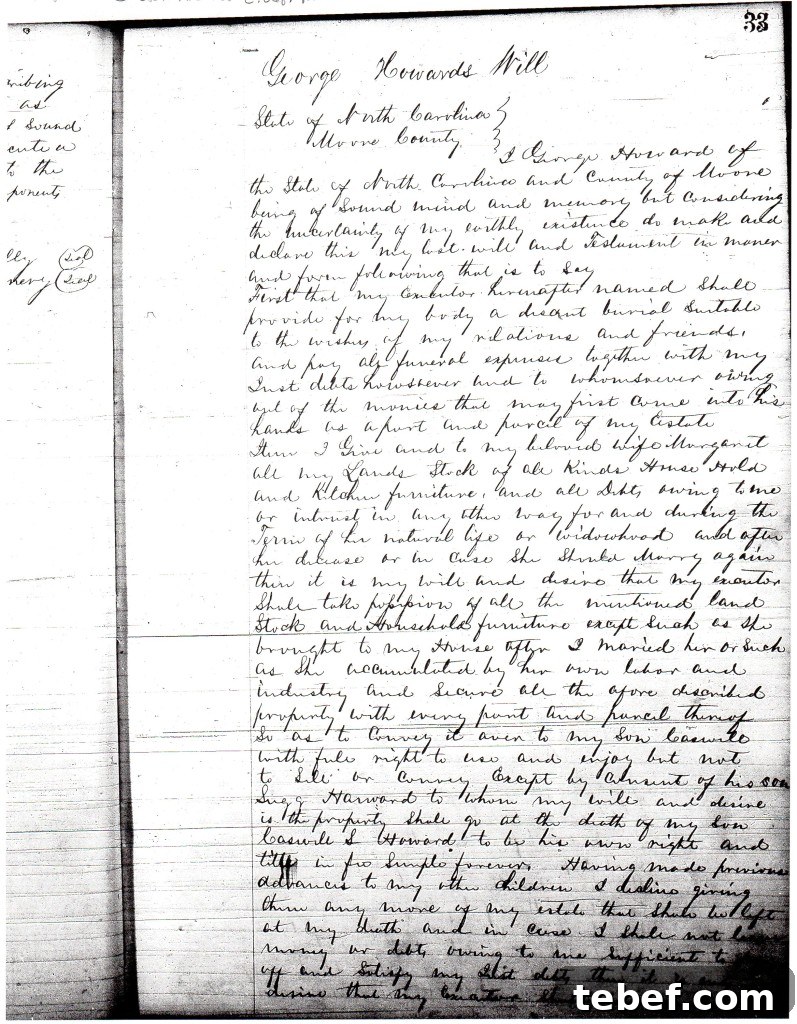
Using a photo editor doesn’t replace paleography skills, but it can reveal faded words and clarify cramped handwriting. Below is an example using a real document: the first page of George Howard’s Wake County, NC will dated 1871.
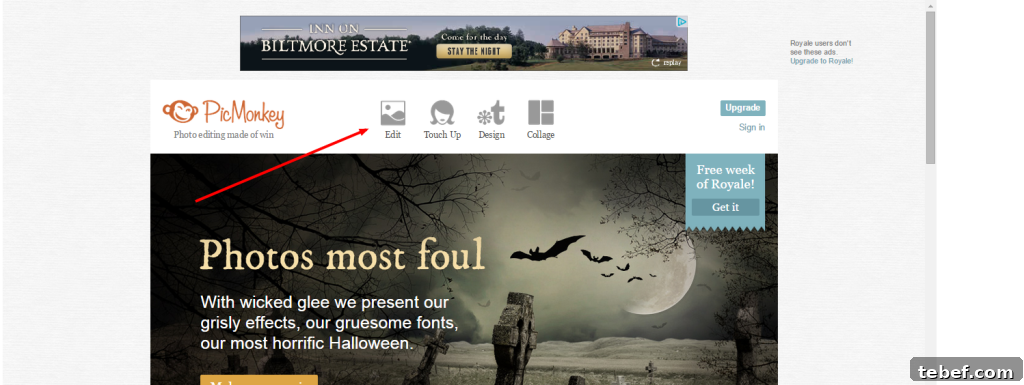
To follow along, upload a JPEG of your document into PicMonkey (or another editor) and choose the Edit option. When the image opens you’ll see a set of tools to the left for cropping, rotating and adjusting exposure and other settings.
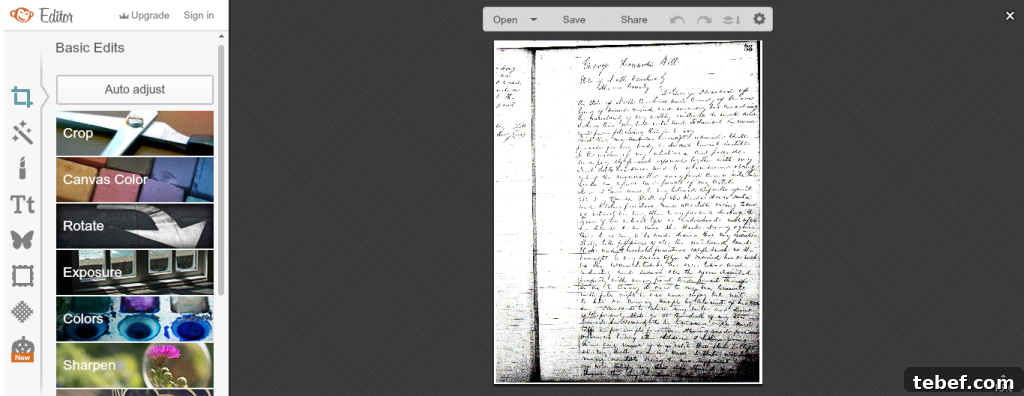
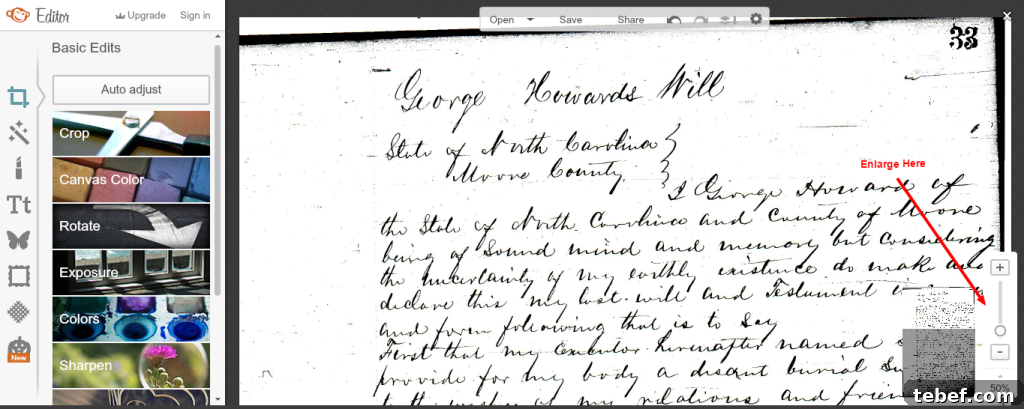
After uploading the document it appears in the editor where you can begin enhancements.
I start by cropping to remove unnecessary margins and areas that distract from the text, then use an auto-enhance or similar tool to improve contrast and clarity. Cropping and auto-enhancing often make a surprising difference.
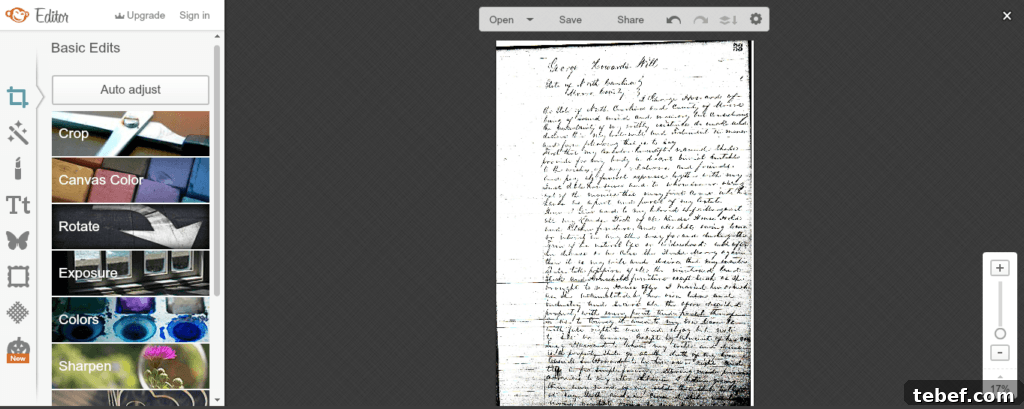
Next, enlarge the image. Zooming in increases readability and helps you focus on letter shapes and word breaks.
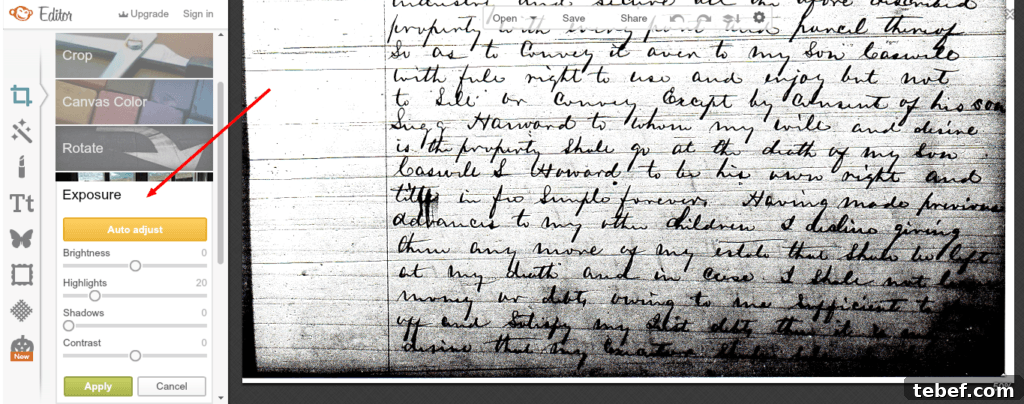
Some areas may still be dark or faded. Use the exposure controls to brighten shadowed corners or to increase contrast. Targeted adjustments can reveal words that were nearly invisible in the original scan or photo.
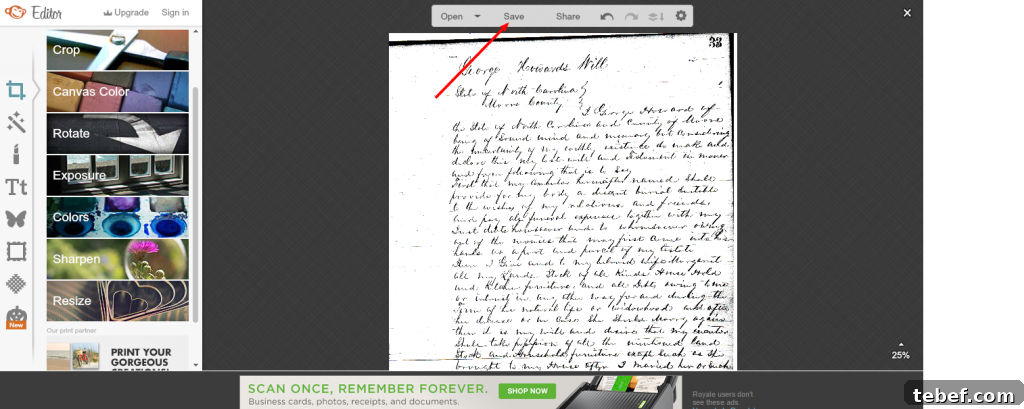
When you’re satisfied with the result, save the edited image to your computer for later reference and transcription. Keeping both the original and the edited copy is a good practice.
Many researchers also use Adobe Photoshop for more advanced editing, repair and organization. Photoshop is a solid choice if you routinely work with delicate photos and a large volume of documents, but simpler editors can be just as effective for boosting legibility.
Add photo editing to your genealogy toolbox—it’s a practical, low-barrier way to make old records readable and more useful for your research.
Have you had success using photo editing software to read a document or restore a photograph? Leave a comment and share your experience!
Note: If you research the Howard/Harward family of North Carolina, leave a comment—I’d love to hear from you.
Related Content For Using “Non-Genealogy” Tools in Your Research:
- Using Google Image Search in Your Research
- How To Perform Your Genealogy Searches More Successfully
:::::::::::
Pin This For Future Reference!